

jamesbm
-
Posts
60 -
Joined
-
Last visited
-
Days Won
12
Recent Profile Visitors
3,851 profile views

jamesbm's Achievements






-
Same issue here. Is there no way to refresh the diagram without losing the stringing already completed?
-
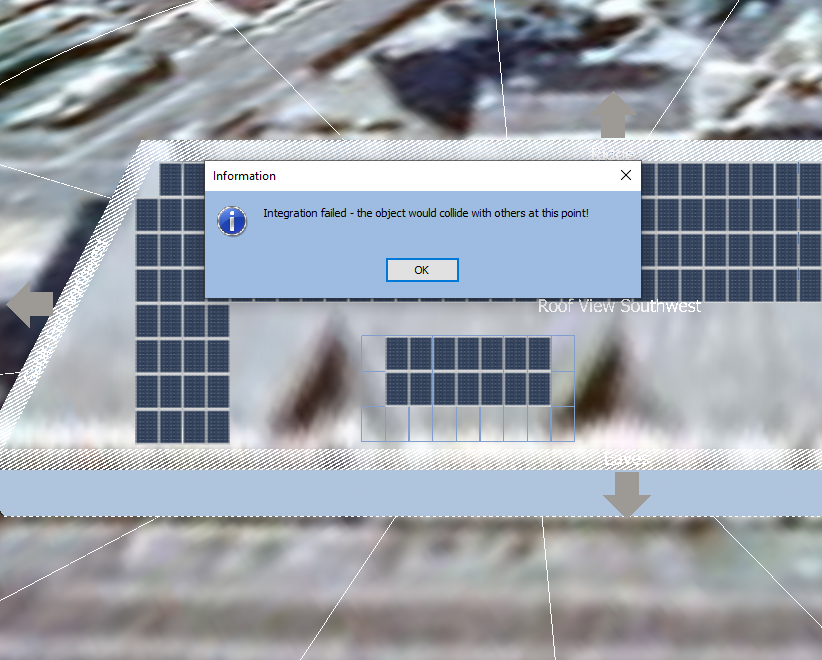
Hi PVSOL team. I find integrating modules annoyingly hard (it worked in the past). Very often it fails (see attached image). The error says there is a collision even when there is plenty of room around both arrays. Is this something you could fix or can you suggest a workaround? Thanks James
-
Hi team, Is this ever going to be fixed? Modelling a complicated roof shape (including a parapet wall) is one reason I import a building rather than building it inside PVSOL. It is really annoying to do all the work of building and running the model to see 60% shading and have to start again. Thanks James
-
Yes! I haven't noticed this being a problem recently, has it been fixed? If it hasn't already been fixed it should be.
-
Thanks for the update Martin. Same question on Jinko Cheetah JKM410M-72H-V - are these on for the next update? James
-
Hi PVSOL team. Can you let me know when the next database update is due? I am waiting to use JA JAM72S10 415/MR modules. I understand from JA that the file has been submitted. Many thanks James
-
Great, thanks for the update.
-
Any news on the fix from this? It is a bit painful trying to locate a building twice (once for meteonorm, and again for 3D modelling). On other mapping tools the postcode takes you to within a few meters of the building and this was the case in PVSOL until recently. Thanks.
-
Update: just upgraded to R5, problem isn't resolved.
-
Hi PVSOL team. Has something changed when using "create data for new location" using UK postcodes. Recently the pin is a distance away from the desired location. I ran a couple of tests - OX12 9SN - 2km away from correct location OX13 6BS - 4.2km away from correct location In both cases entering the postcodes into Google Earth gives the correct location. Sorry if this has been fixed recently, I need to pay for my maintenance (I will pay this week I promise!). James
-
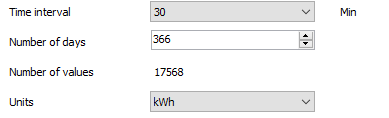
It sounds like you need to change the "Units" setting from kW to kWh. Hope that helps!
-
Hi PVSOL team. I have had a quick play with the 2021 update. Are there any further features soon to arrive? I was really hoping for a few helpful features in the 3D modelling. As 90% of the time all that is required is a rectangular building outline with a line down the centre for a ridge some minor improvements would really help- -Snap to 90 degrees (or a rectangle drawing tool) -Snap to centre point for drawing ridge (or an "auto-ridge" feature) Thanks James
-
I can across a similar challenge. This might be helpful -
-
The answer is a bit silly but the next option along from "wall" is a "rotatable wall" Why you would have a wall that only runs east/west I do not know? Hope that helps.
-
import 3D model fallacy - beware of its very limited usefulness
jamesbm replied to Joao Prates's topic in PV*SOL
For a bit of balance - we work mainly in the range 100kWp-2MWp and get on very well with PVSOL (over the last 5+ years). The 3D model import isn't great so I tend to use the inbuilt 3D modelling. If I want to make attractive images for a proposal I use sketchup, for accurate yield projections I use PVSOL. I think viewed as a design and analysis tool PVSOL is great. I understand your frustration that PVSOL can't do everything but if you don't push the 3D modelling too hard it is great for - shading analysis, roof layout, stringing. I haven't used it much but the other well regarded PV software package is PVSyst, by the look of the videos the 3D modelling is much more basic than PVSOL. I think the admins have offered you a refund on you subscription, if you really don't get on with the software get your money back!