developer_fw
Members
-
Joined
-
Last visited
-
Hello danny_lang81 Sorry for the inconvenience and for getting back late. Did you contact our hotline support for help? https://valentin-software.com/en/support/technical-support/ They will be happy to help you out. Kind regards Frederik
-
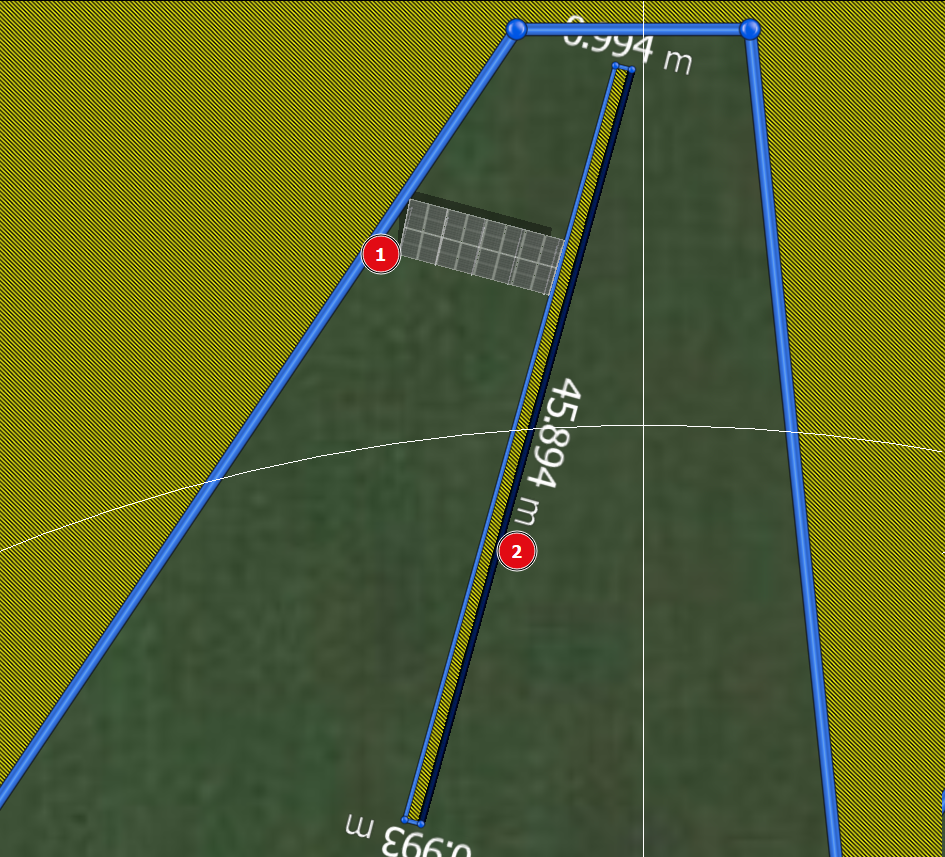
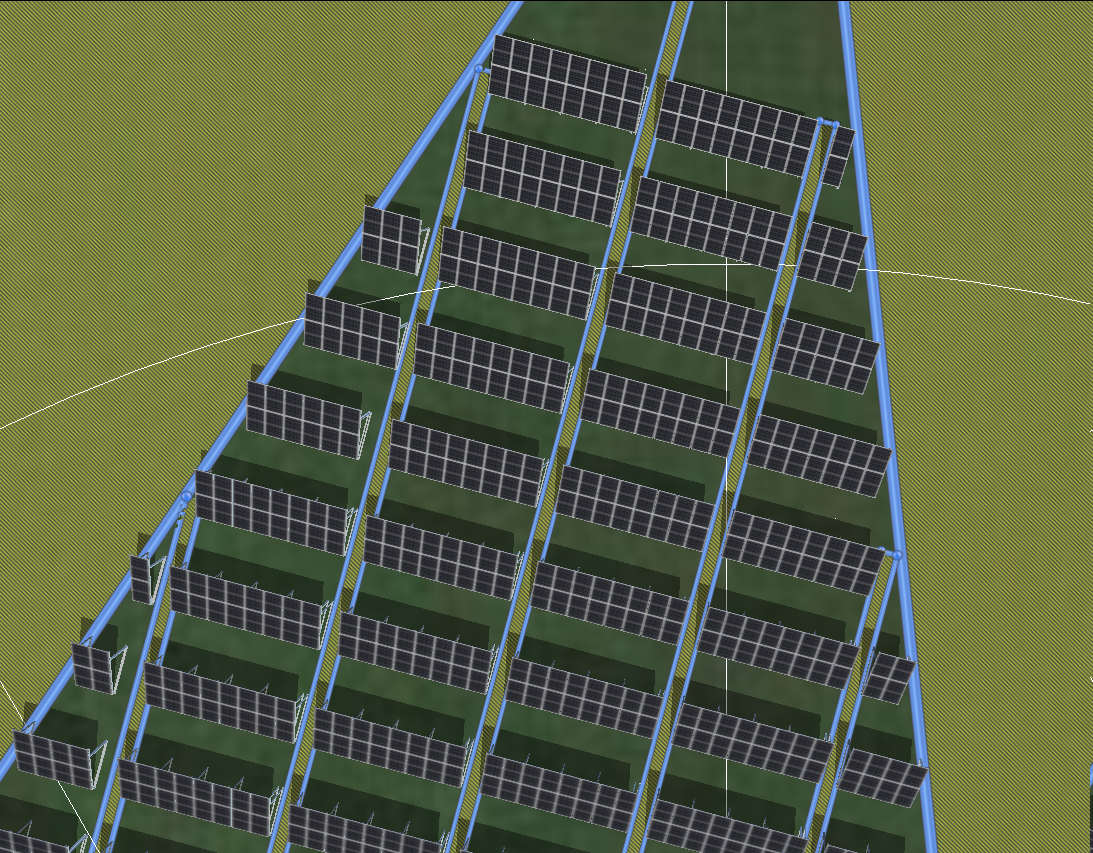
Hello Keyable First, I'd start with (1) one assembly (2 modules stacked, 16 modules) and (2) one barred area. In the following example I made it approximately one meter wide. From this starting point you could use the one mounted module assembly and the barred area to layout the plan and fill the complete space by moving the mounted module row for spaces and copying the barred area as parallel layout. After the setup you could draw your mounted modules to fill all the possible areas. Afterwards you could clean-up superfluous module rows which do not have the full 16 modules. Depending on your area this might be a bit tedious to clean up but at least you save time for setting up the module rows equidistantly. I hope this helps. Kind regards Frederik
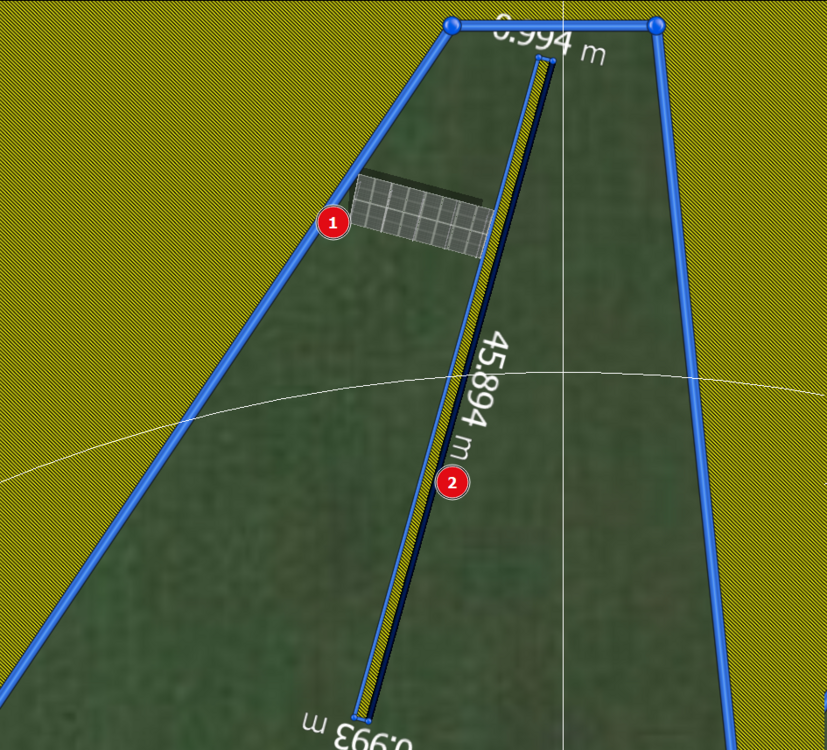
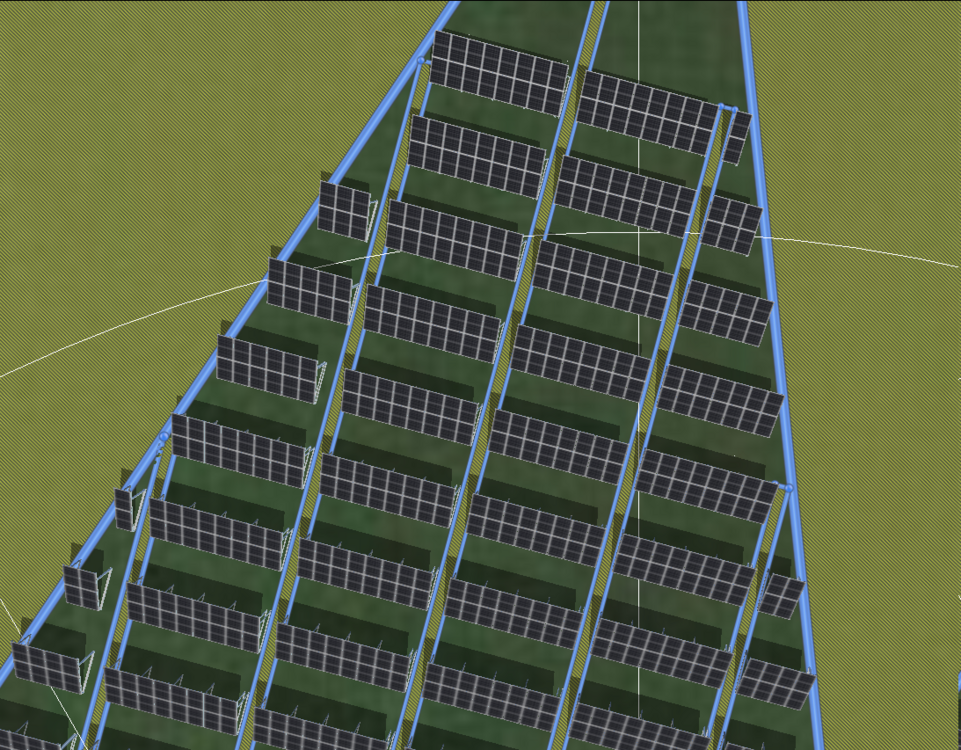
-
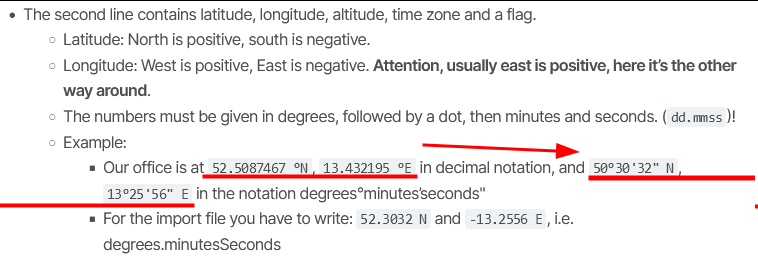
Hello Pauline We do use the format Degree.MinutesSeconds N, Degree.MinutesSeconds E (inverted), which in your case yields the tuple (50.5520,-3.1149). This is admittedly a bit cumbersome, but documented in our online help: https://help.valentin-software.com/pvsol/2024/en/pages/system-type-climate-and-grid/meteosyn/#options The file is correct and your climate data should now be available for Belgium. Kind regards Frederik
-
Hello HamishL Sorry for the belated response, your request slipped through. As far as I'm concerned it is not calculated. It is our default assumption of shading due to the mounting system. Depending on the system you do use to incline your modules, feel free to adapt the fraction of irradiation which reaches the backside. Kind regards Frederik
-
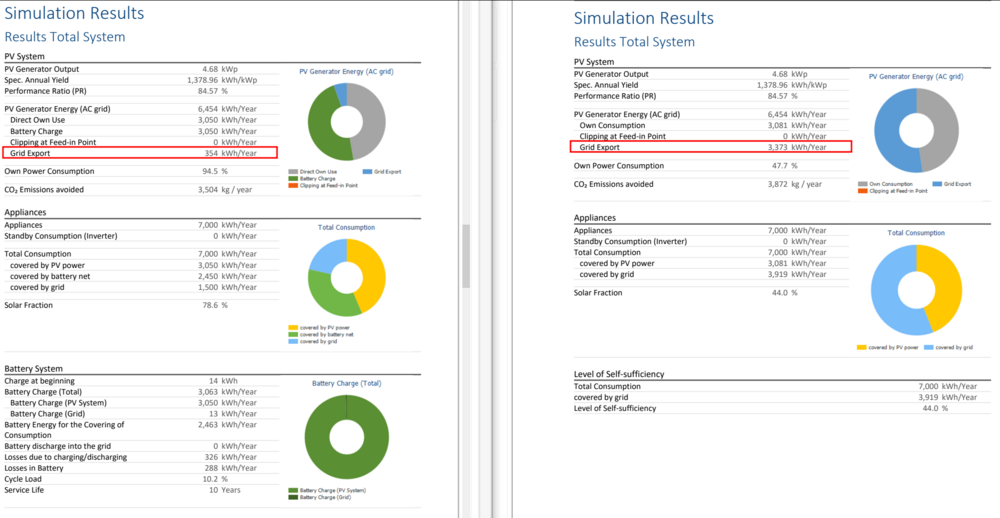
Hello Ykulkarni Sorry for the belated answer. You should be able to find the row Grid Export in both systems within the project report: Kind regards Frederik
-
Hello CarlSEL Your request slipped through. The range includes bad systems <0.60, via good systems at about 0.75 going up to above 0.80 for top systems. I do not have any experience with UK parameters but maybe someone here in the forum has? Kind regards Frederik
-
Hello Pauline Could you do me a favour and check if your data is correctly put into the right country? If the import worked and the file was saved it should be within the database. It could happen though that the country is not detected correctly. I assume you already did that but could you please double check your file formatting? Kind regards Frederik
-
Hello Luis Jim At the moment retrofitting existing power systems is not integrated into PV*SOL, I'm afraid. There are, albeit I cannot give any specific information when. Kind regards Frederik
-
Hallo denise, das ist ärgerlich. Taucht das Fenster mit der Fehlermeldung auf, mittels dem ein Fehlerbericht an uns gesendet werden kann? Falls ja, dort bitte eine Email-Adresse eintragen plus eine kurze Beschreibung, wie es zu dem Fehler kam; dann können wir uns das näher ansehen. Im Falle, dass dieses Fenster nicht geöffnet wird, würde ich darum bitten, die LOG-Datei hier im Forum per privater Nachricht zu senden. Diese lässt sich im Hauptfenster mit CTRL+L öffnen. Alternativ kann ich noch empfehlen, sich an unseren technischen Support zu wenden: https://valentin-software.com/support/technischer-support/ Freundliche Grüße, Frederik
-
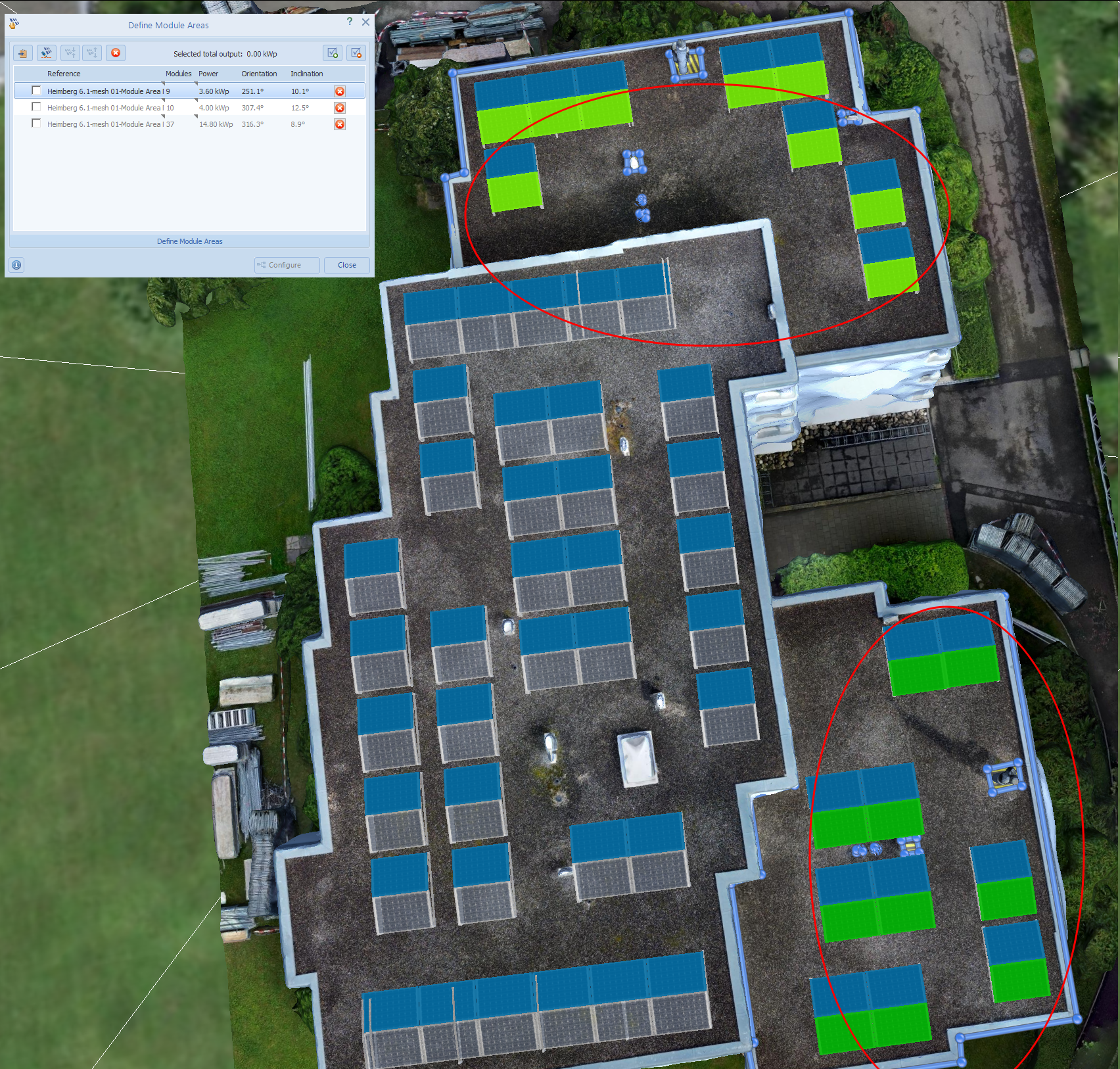
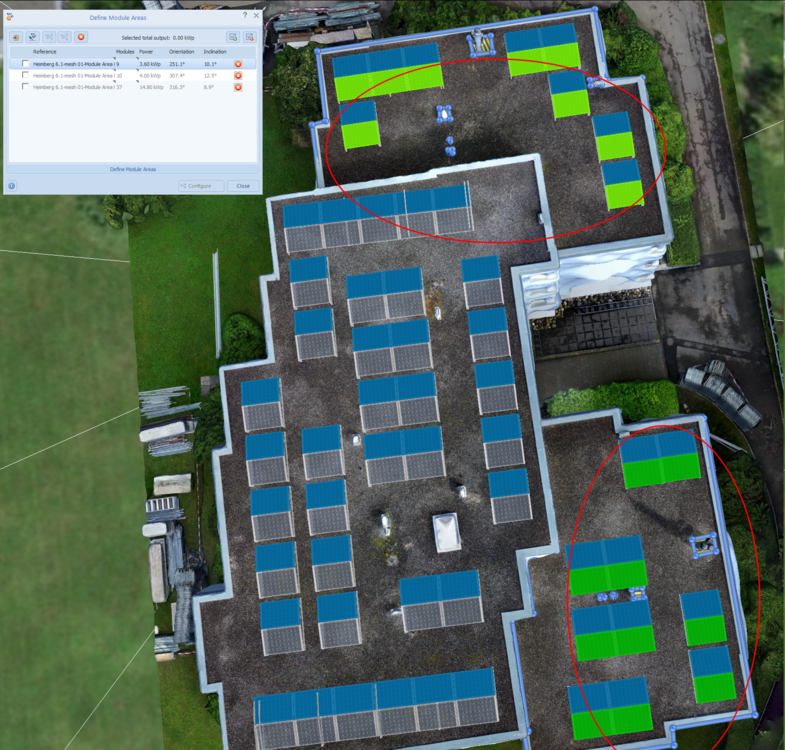
Hallo SonnenNils, danke für die Zusendung der Projektdatei. Bitte beachten, dass dies ein öffentlich einsehbares Forum ist und unter Umständen sensible Daten öffentlich sind; die angehängte Projektdatei habe ich von dem Post entfernt. Ja, es stimmt, dass auf importierten 3D Objekten gezeichnete Belegungsflächen aufgrund der ausgewählten Bezugskante eine unterschiedliche Ausrichtung in diesem Menü haben können. Eine Verschaltung mehrerer vorheriger Selektionen sollte allerdings dennoch möglich sein, wenn die entsprechenden Module vorher zum Dialog Define Module Areas hinzugefügt wurden! Ich hoffe, dass ich die Frage richtig verstanden habe. Freundliche Grüße, Frederik
-
Hello ionut At the moment I do not know of a way to improve the accuracy through a higher zoom e.g. I did forward this to the person responsible for the map section import, though. Kind regards Frederik
-
Hello anees Unfortunately the energy flow cannot be changed. Since this is frequently asked I put this into debate again. Kind regards Frederik
-
Hello Litiantian The reason for your error is the excess of the inverter's maximum short-circuit current. Which kind of module did you use? I cannot find the name within our database. Kind regards Frederik
-
Hello Chadders At the moment this is not possible, I'm afraid. Kind regards Frederik
-
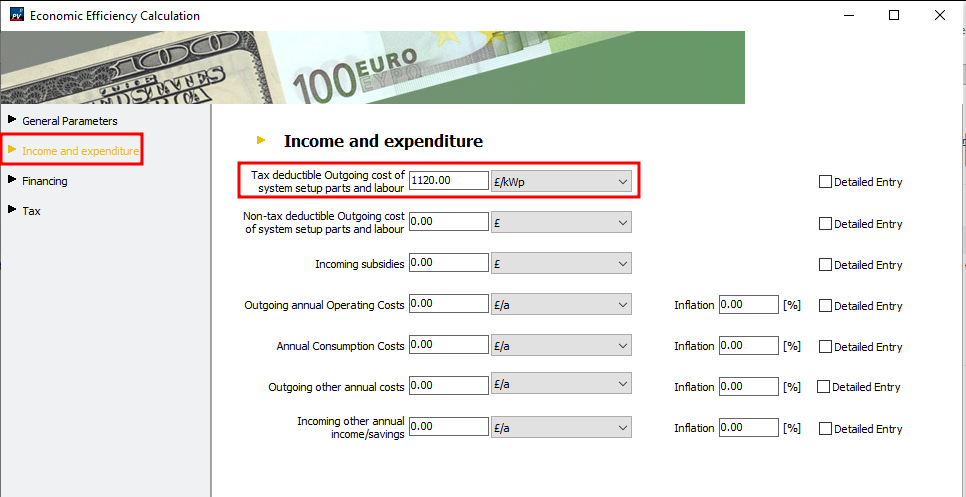
Hello Chicken Ding Sure! Have a look here on the navigational page Financial Analysis: where you could input a kWp specific value Kind regards Frederik