

Skip to content
View in the app

A better way to browse. Learn more.

Forum Valentin Software

A full-screen app on your home screen with push notifications, badges and more.

To install this app on iOS and iPadOS
  1. Tap the Share icon in Safari
  2. Scroll the menu and tap Add to Home Screen.
  3. Tap Add in the top-right corner.
To install this app on Android
  1. Tap the 3-dot menu (⋮) in the top-right corner of the browser.
  2. Tap Add to Home screen or Install app.
  3. Confirm by tapping Install.

Penthon

Members
  • Joined

  • Last visited

  1. Thank you. It was working well when I got the files back from you. Strangely enough the old files are still misbehaving. I work with the new files and the customers has gotten their simulations. Once again, thanks.
  2. I tried to post it in the forum yesterday, but the projectfile was too big. Which adress can I send it to? I also tried to send another project with the same problem to your info@valentin-software.com - adress yesterday but I haven't heard anything back yet.
  3. Nothing at all. The results are the same.
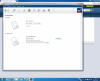
  4. I made a report for a customer and then I decided to activate another roof and fill it with solar panels. The problem is that I cannot generate any new results. Instead I get thrown into the reports area where all the buttons are shaded. What can I do to resolve this problem?

Account

Navigation

Search

Search

Configure browser push notifications

Chrome (Android)
  1. Tap the lock icon next to the address bar.
  2. Tap Permissions → Notifications.
  3. Adjust your preference.
Chrome (Desktop)
  1. Click the padlock icon in the address bar.
  2. Select Site settings.
  3. Find Notifications and adjust your preference.